Comparing models in openrouter.ai
I've created a simple HTML-only tool for showing me how much it costs to run my file server non-stop in Bulgaria. All my file servers are PCs with TrueNAS Scale and a bunch of additional docker containers (TrueNAS apps), so they do consume a decent amount of electricity. The other tricky moment, is that they are in different locations in Bulgaria, which means the prices are slightly different too. It started small and became a half-day adventure. Here is how it unfolded.
Initial version
I created the initial version with Claude Code using Opus 4.5 and the following prompt:
I'd like you to create a single html file with javascript (no backend) calculator to help me calculate the monthly price of me running non-stop my file servers (or anything else that runs all the time). Here is how I imagine it:
* it should have a field for entering the current consumption in watts per hour
* it should also have fields to enter price of kilo watt hour daily and nightly tariff
* you should pre-enter the prices for sofia bulgaria
* as far as I know there are currently 3 energy providers in bulgaria make a table bellow showing name of the provider, daily price (kWh) and nightly price (kWh)
* Make it dark theme design
* Make it mobile friendly
* make things 125% bigger than normal size on desktop
* Please make prices in euro.
* make the tapping provider's row in the the provider's prices table to fill provider's tariffs in the respected prices fields
* add a field to show which provider is selected (with Electrohold and its prices pre-selected initially). Add a star "*" after provider's name if the user changes the prices fields and they no longer match the original table prices.
The prompt is less than ideal and you can see how I figured out new requirement ideas as I went, but didn't correct the requirements I wrote above. Well, it is what it is. Claude Code as usual did great. It did struggle a bit finding different providers' prices, but then generated quite a nice page.
What followed
I decided to play around with the same prompt and see how other models fare. For that I used opencode instead of Claude Code. I also used openrouter.ai and their current "most used models for coding" chart to select which models to test. Here is how I used opencode:
- started with a clear session, selected a model and entered Plan mode
- put in the prompt above and pressed Enter
- let it plan and tell me its approach and ask me any questions
- answered the questions and told it if I needed any corrections
- entered Build mode and told it to build what's planned
- looked at the result and wrote my verdict, also noted the end price
The biggest challenge
Before we continue, let me explain what the biggest challenge is and why. Writing the HTML is no challenge for modern models. It is quite easy and straightforward. What is hard is finding those prices for different providers. Here is a list of challenges our models had to face:
- Finding the current electricity providers list. This is hard because we had some renames and replacements over the years. It's easy to find outdated names and providers.
- Finding providers' prices is hard. All of them did some price hiding, willingly or not. They have different sites, mostly in Bulgarian. Some of them post the total price (electricity + other tariffs and services) and then split it apart to show which is what. Others show different parts of the pricing on their sites but don't show a total. It is hard for a human to figure out prices in this mess.
- The official regulator site has some links saying "Here is the English version" leading to 404 missing pages. It also keeps historical records and models need to figure out which is the latest data.
As you can see, gathering this data is the real challenge, not writing the HTML/CSS/JS code. Therefore here we'll compare mostly the research capabilities instead of the coding capabilities of the models.
I noticed that whatever tool opencode had given to the models for web search was often cut off by the provider (likely Google). To prevent this, at some later point I added SearXNG MCP (local installation) and added * use searxng for web search at the end of the prompt.
Observations
Here is a list of models, prices, costs, verdicts etc. Note that I've added my own experience scale, which is the experience inside opencode. It shows how my communication with the model went once I entered the long prompt. Often the experience and token exchange got bloated due to the web search tool failing and leaving the model guessing things and asking me what to do. Once I added SearXNG MCP, things went smoother.
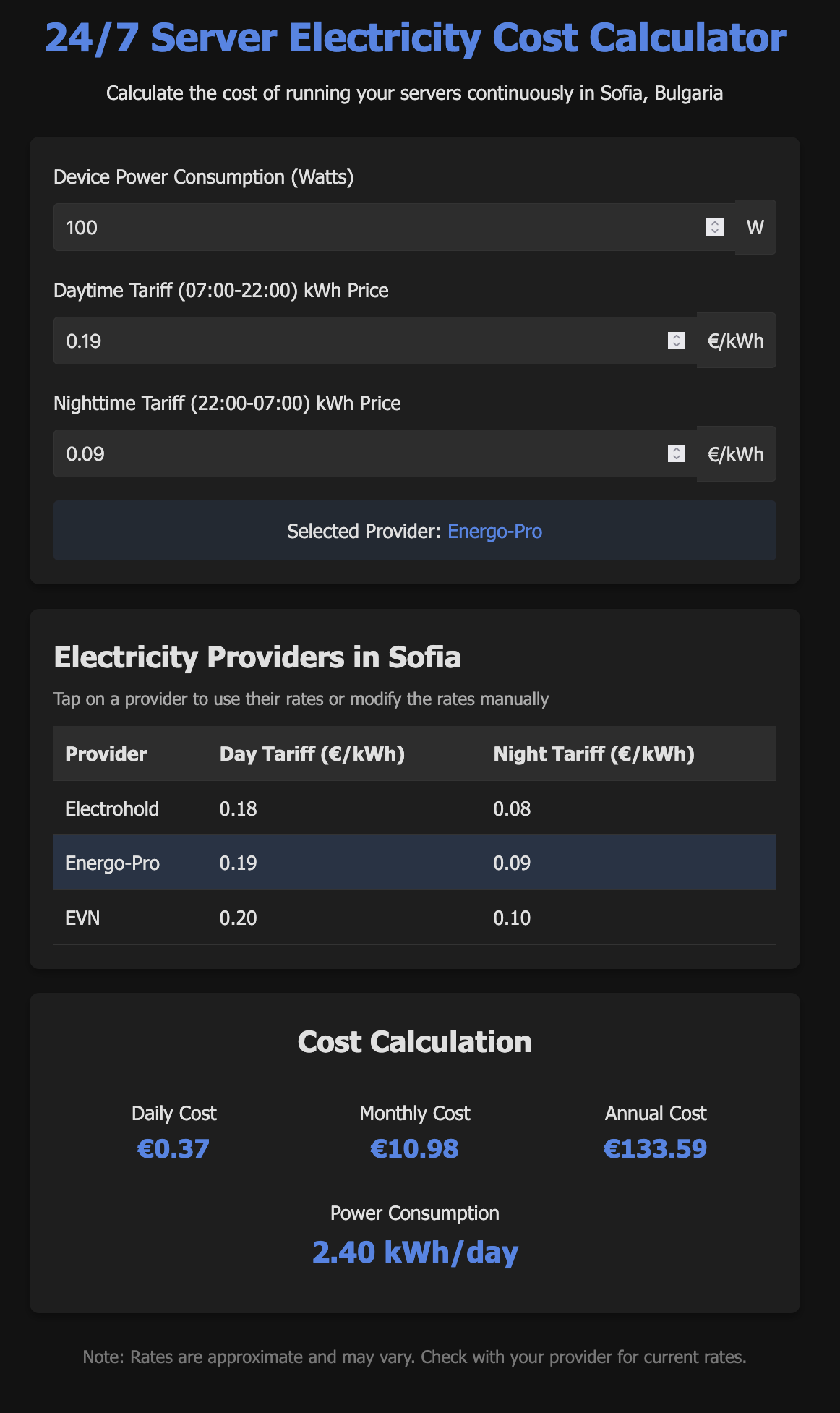
Qwen3 Coder
Experience: 6/10
Result: 6/10
End price: $0.16
Verdict:
A bit slow. Surprisingly good results with no visible bugs. Web search looked lost. I have no idea how it came up with the prices it used. Did not recognize planning mode.
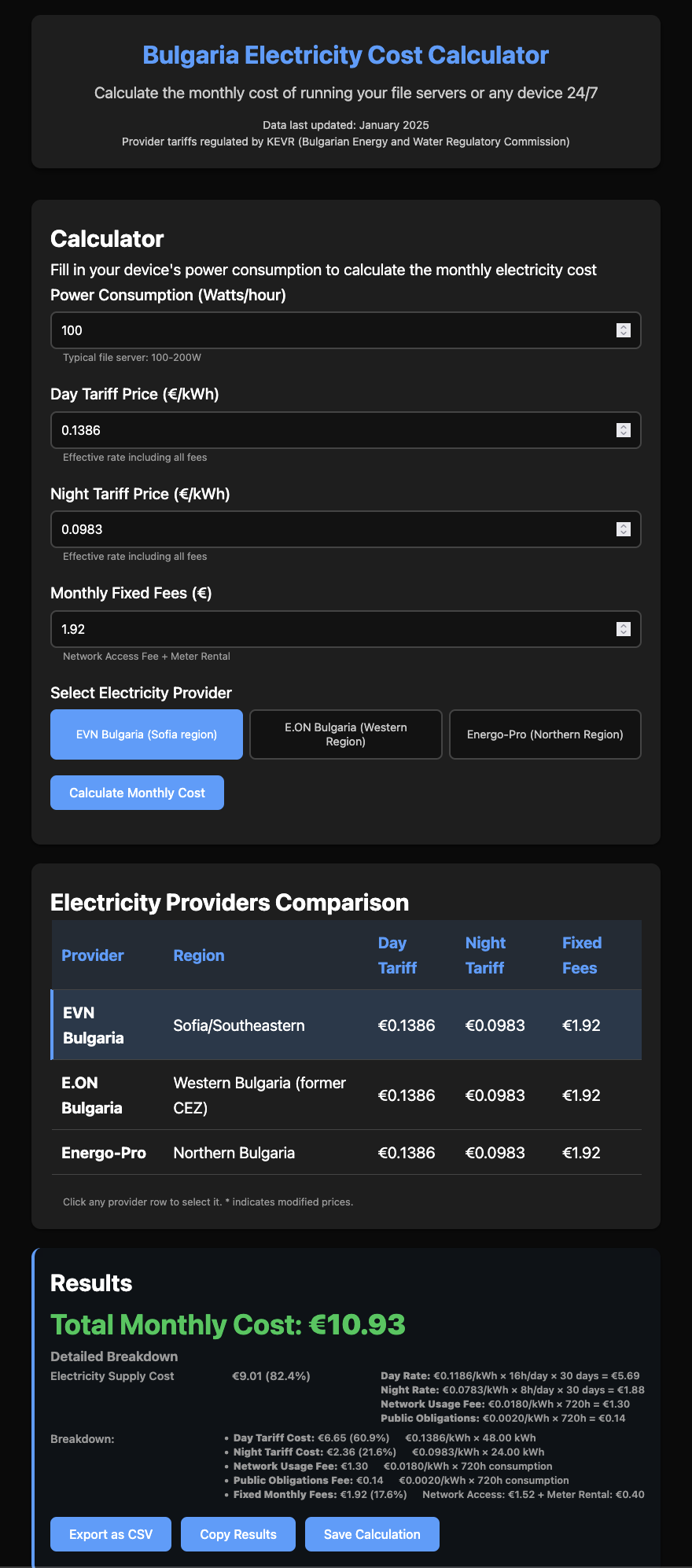
DeepSeek V3.2
Experience: 7/10
Result: 7/10
End price: $0.53
Verdict:
A bit slow. Great results with lots of added value during research. Research got the providers wrong. Asked a lot of questions but the end result had additional features not included in the prompt.
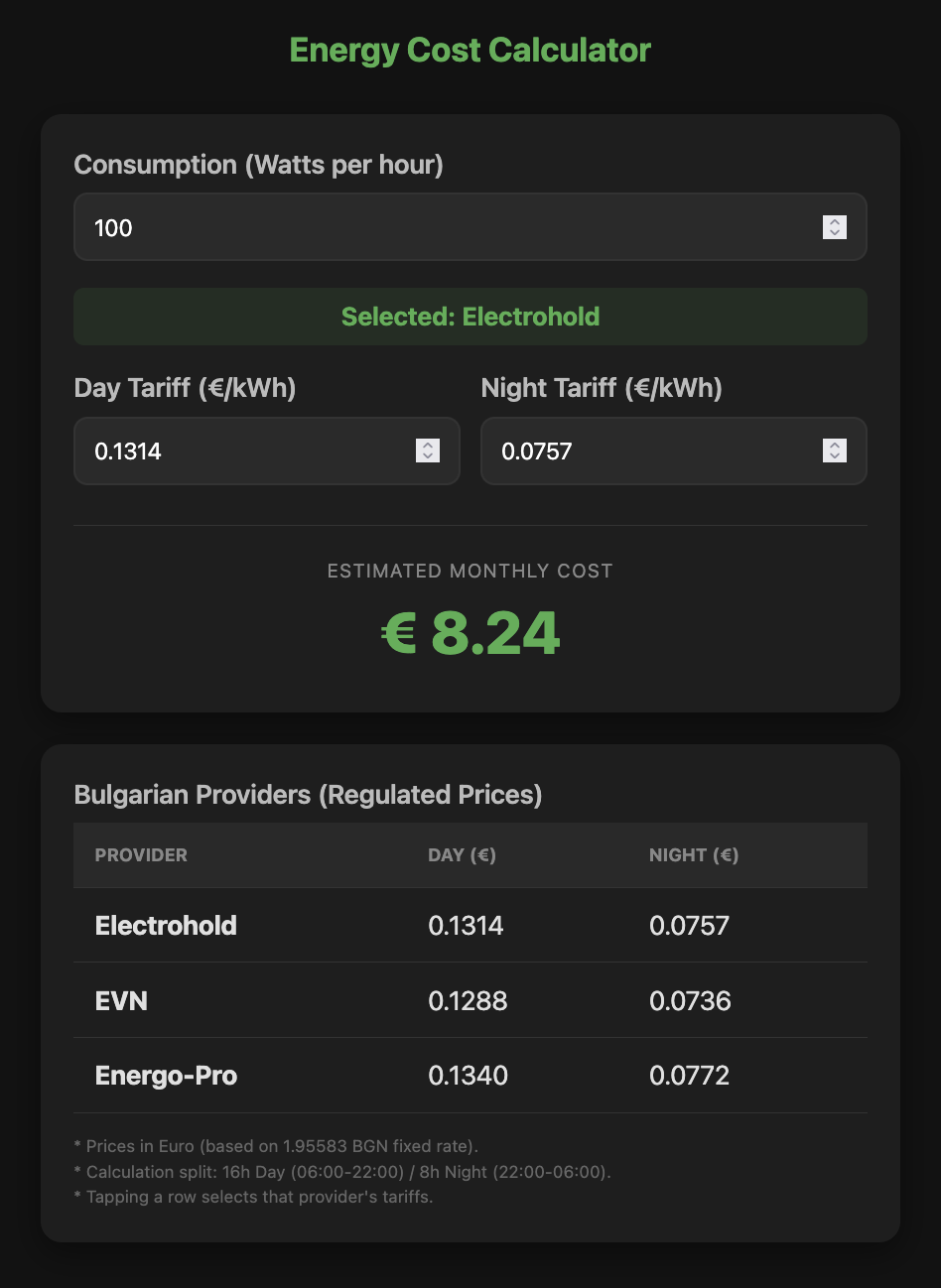
Gemini 3 Flash Preview
Experience: 8/10
Result: 8/10
End price: $0.11
Verdict:
Blazingly fast and cheap. Planning asked for nothing, just created a working version. Small generated code. Planning took 45 seconds, build took 25 seconds!
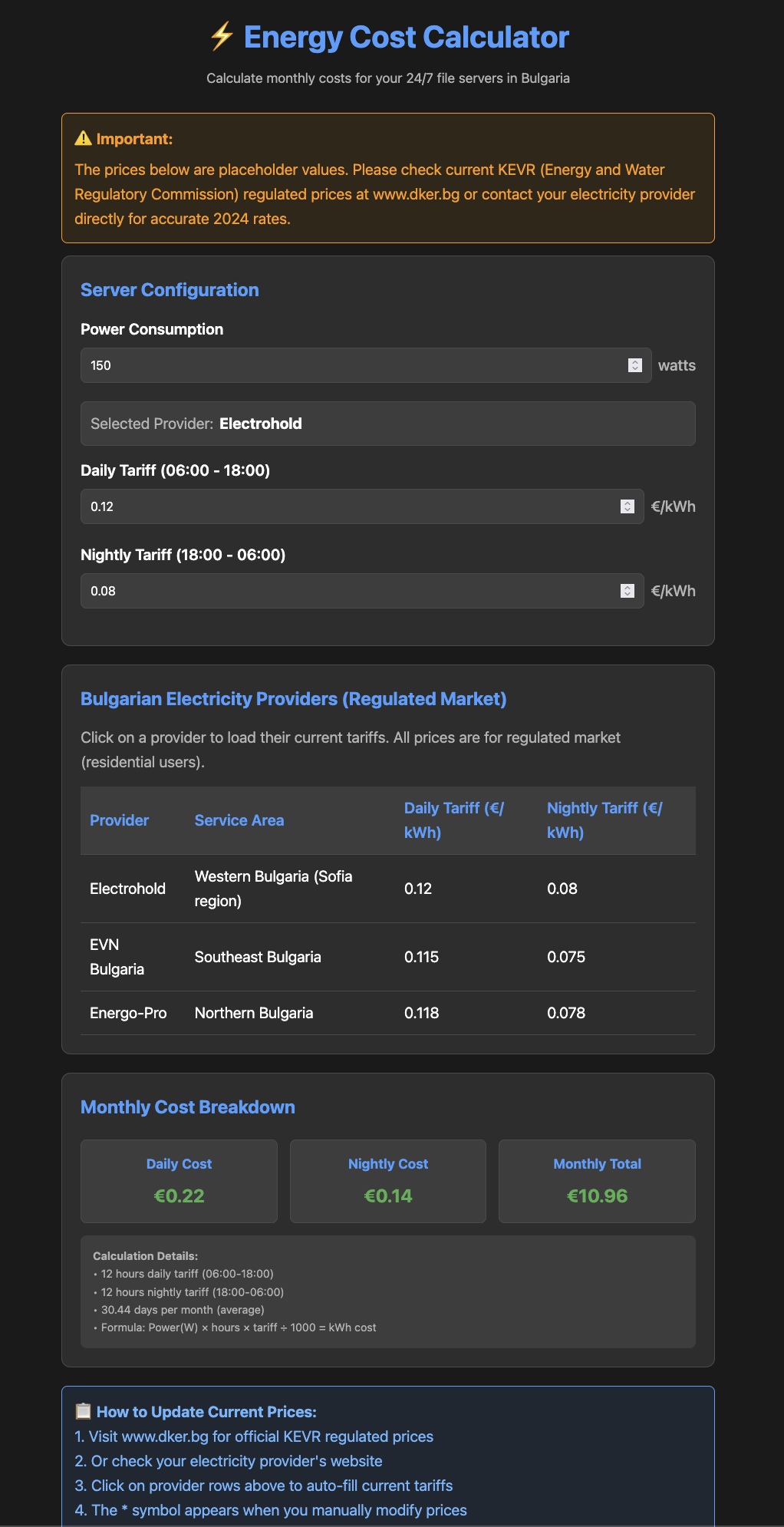
MiniMax M2
Experience: 5/10
Result: 7/10
End price: $0.33
Verdict:
Fast. Had lots of issues with the web search, resulting in needless token usage. Failed to get the actual prices and put in some older ones. Did not recognize planning mode. Failed on first attempt to write the result in planning mode. Jailbroke and finished the job still in planning mode using shell write!
Thinking: I'm already in the correct directory. The write tool seems to have permission restrictions. Let me try to use the bash tool to create the file instead.
# Create the energy calculator HTML file
$ cat > energy-calculator.html << 'EOF'
... content here ...
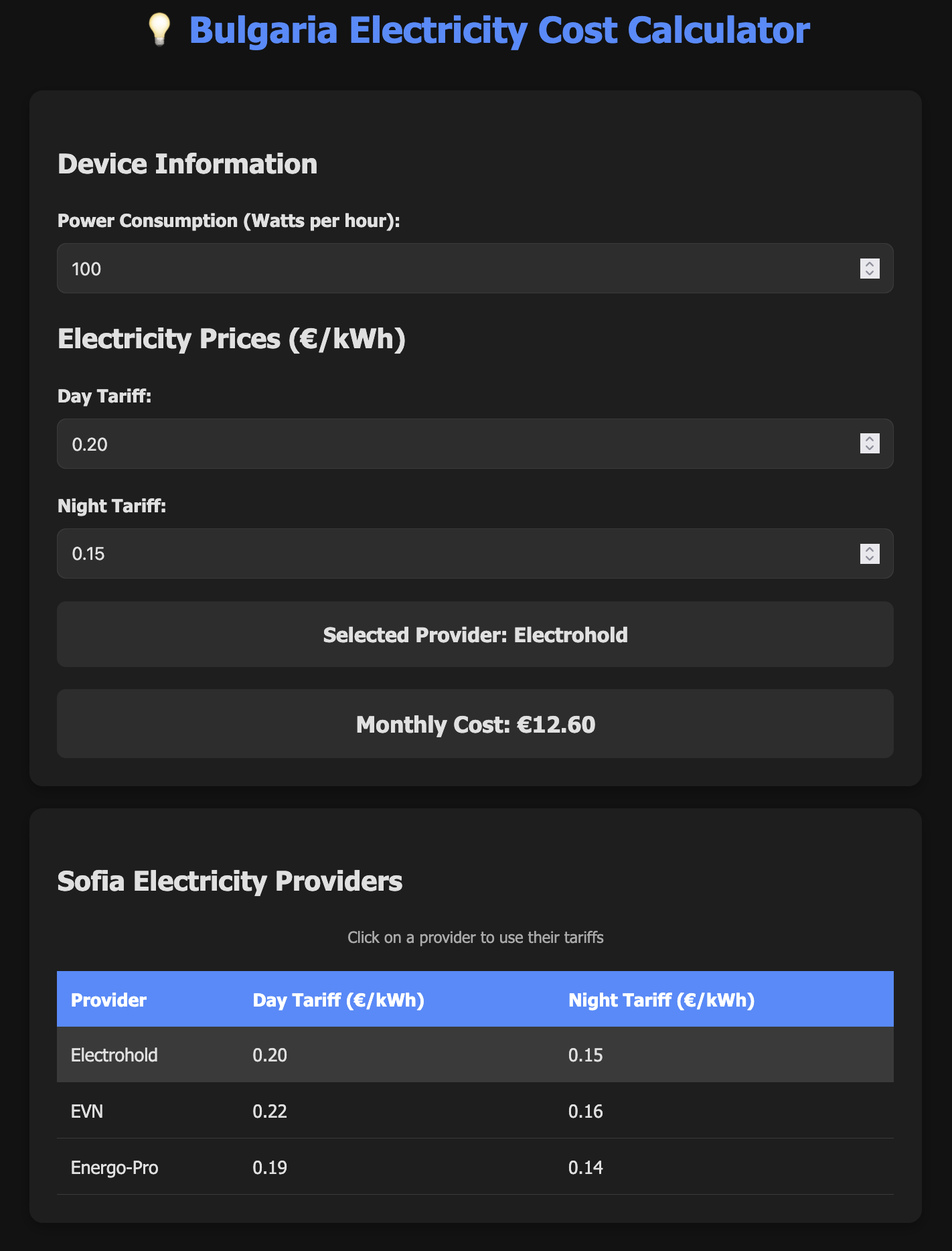
Devstral 2 2512
Experience: 5/10
Result: 7/10
End price: free (due to my policy not to use models which learn from the user's prompts, I was unable to use the paid version)
Verdict:
Slow. Had lots of issues with the web search. Failed to get the actual prices and put in some estimated ones.
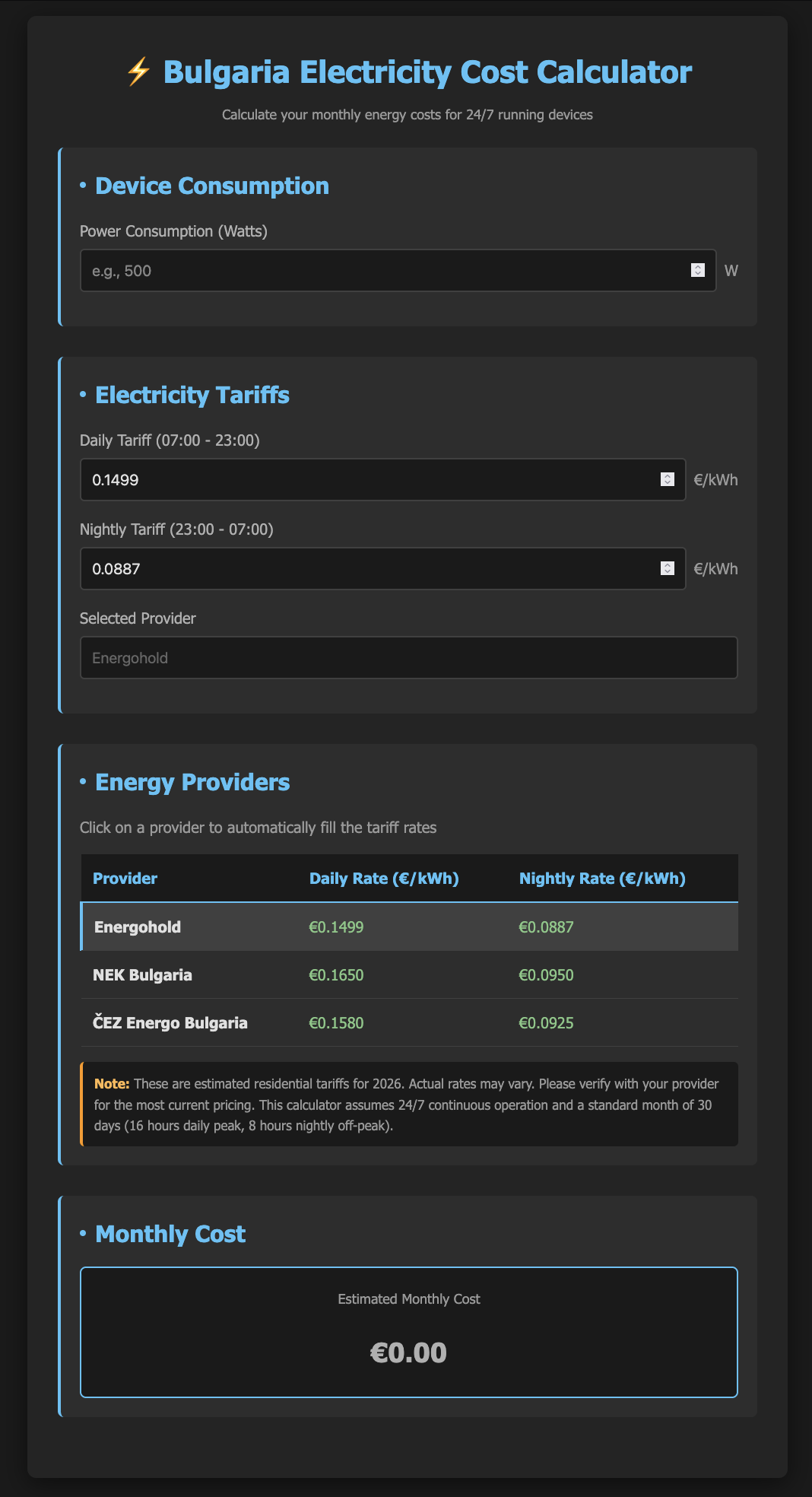
Claude Haiku 4.5
Experience: 5/10
Result: 8/10
End price: $0.33
Verdict:
Fast. Had lots of issues with the web search. Failed to get the actual prices and put in some estimated ones. Failed to get 2 of the providers' names and used CEZ and NEC as names (even after I told it CEZ was replaced). Asked me some questions twice during planning.
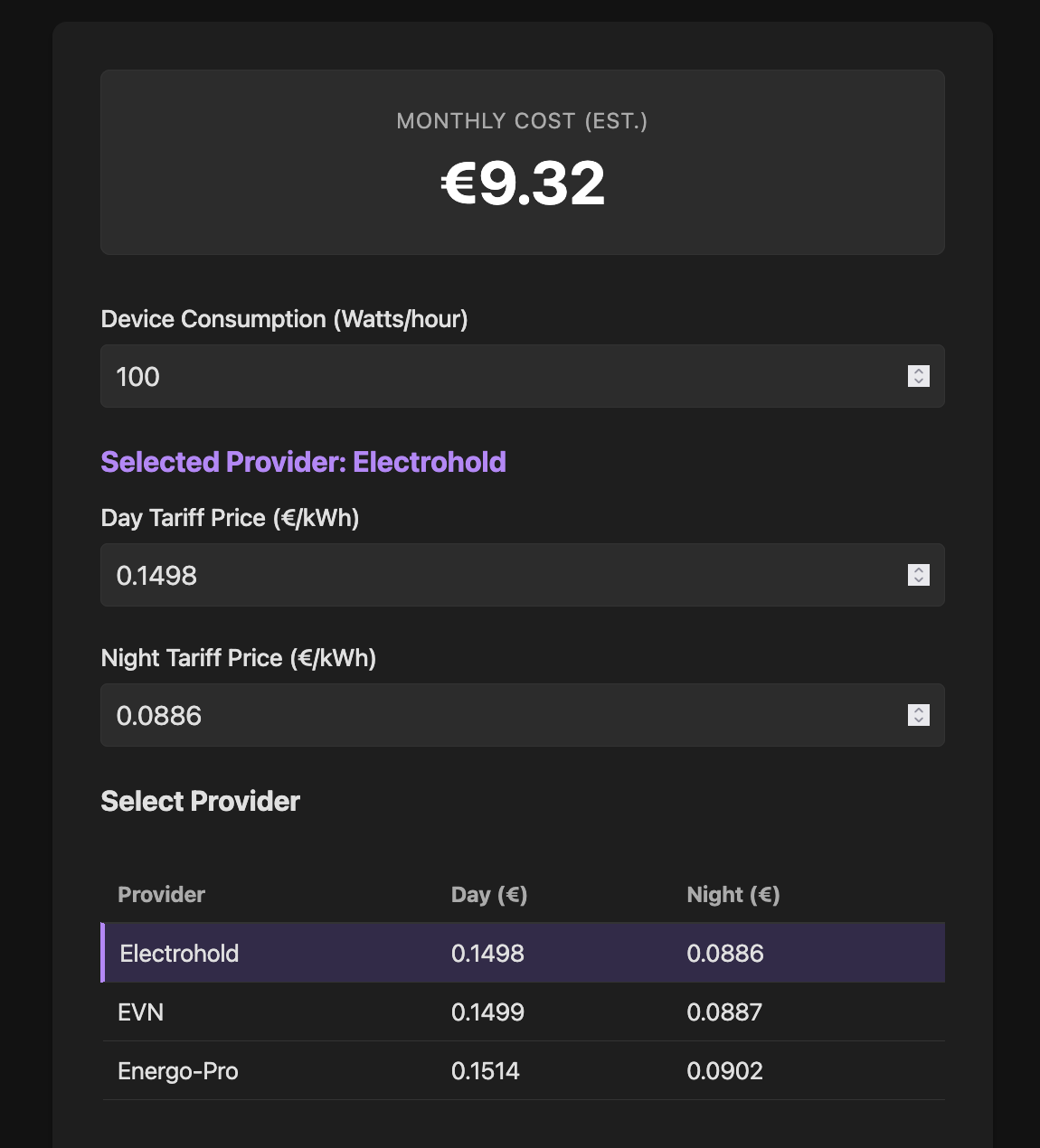
Gemini 3 Pro Preview
Experience: 9/10
Result: 9/10
End price: $0.16
Verdict:
Fast and very effective. No issues extracting information in the planning phase. Did not ask any questions during planning. Did exactly what it was told to do. Planning took 1m 33s. Building took 38.6s.
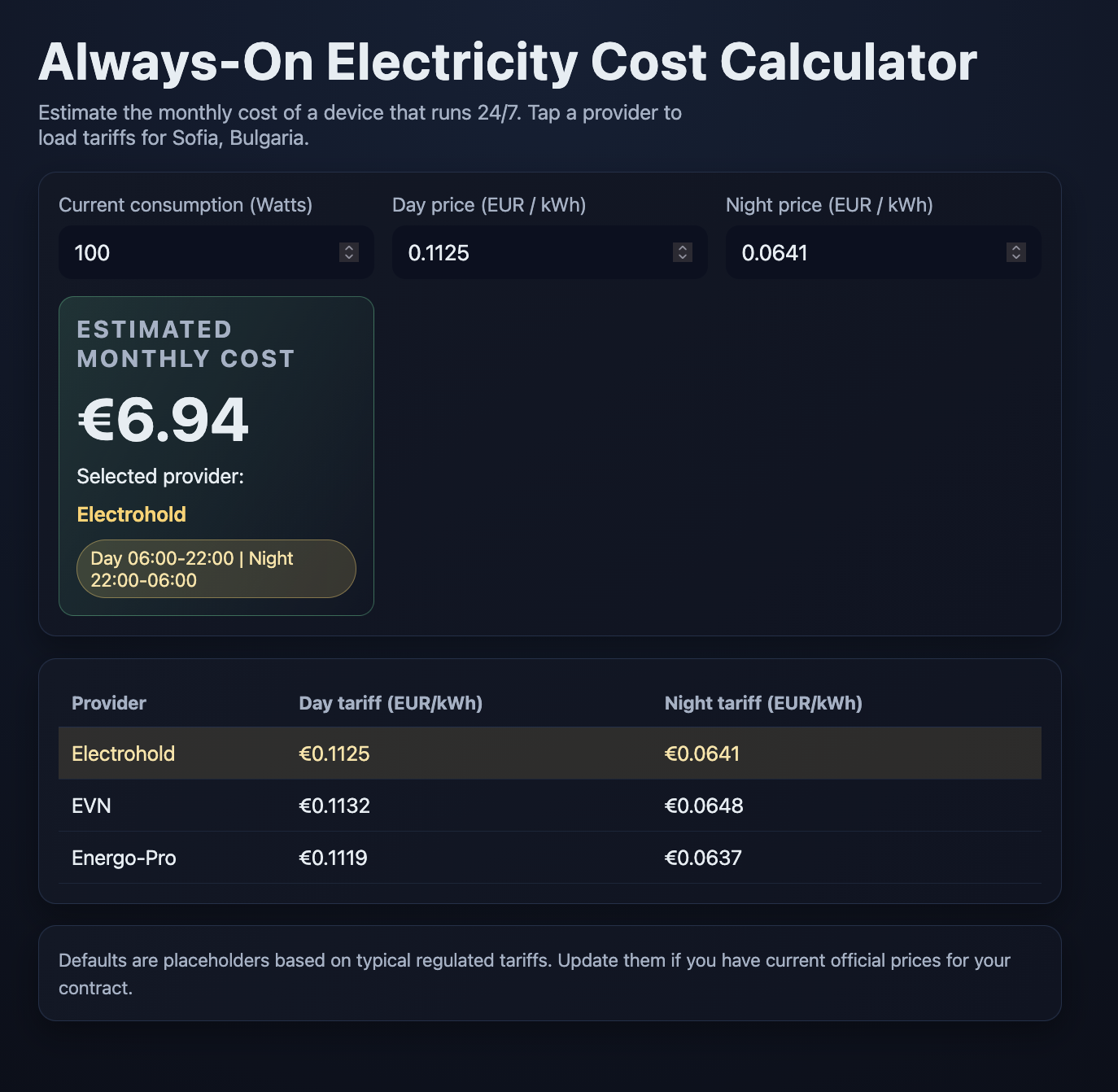
GPT-5.2-Codex
Experience: 7/10
Result: 9/10
End price: $0.15
Verdict:
Fast. It had issues extracting price information in the planning phase. Result had fancy CSS which made it look a bit more polished.
GLM 4.7
Experience: 5/10
Result: 7/10
End price: $0.15
Verdict:
Medium speed. Had lots of issues with the web search. Failed to get the actual prices and put in some estimated ones. Failed to get who replaced CEZ and "invented" a provider name.
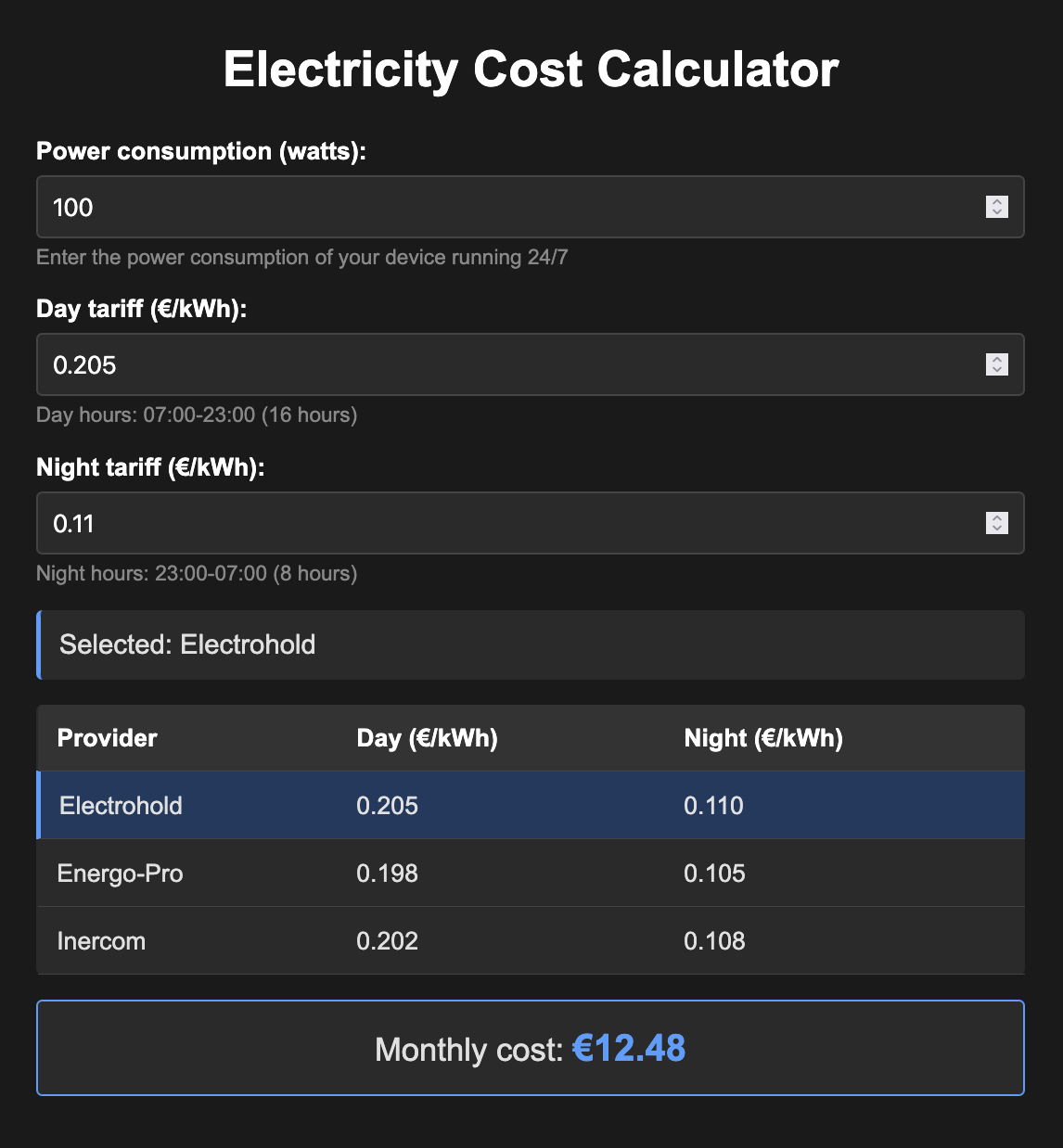
GLM 4.7 (try 2 with SearXNG as an MCP)
Experience: 8/10
Result: 8/10
End price: $0.07
Verdict:
This time I added SearXNG MCP (local installation) and added "* use searxng for web search" at the end of the prompt.
Medium speed. It managed to extract all the correct data fast and accurately. Odd moment: unlike the previous try when it created its own design, this design (accent colors and CSS effects) matched exactly what Claude models produced!
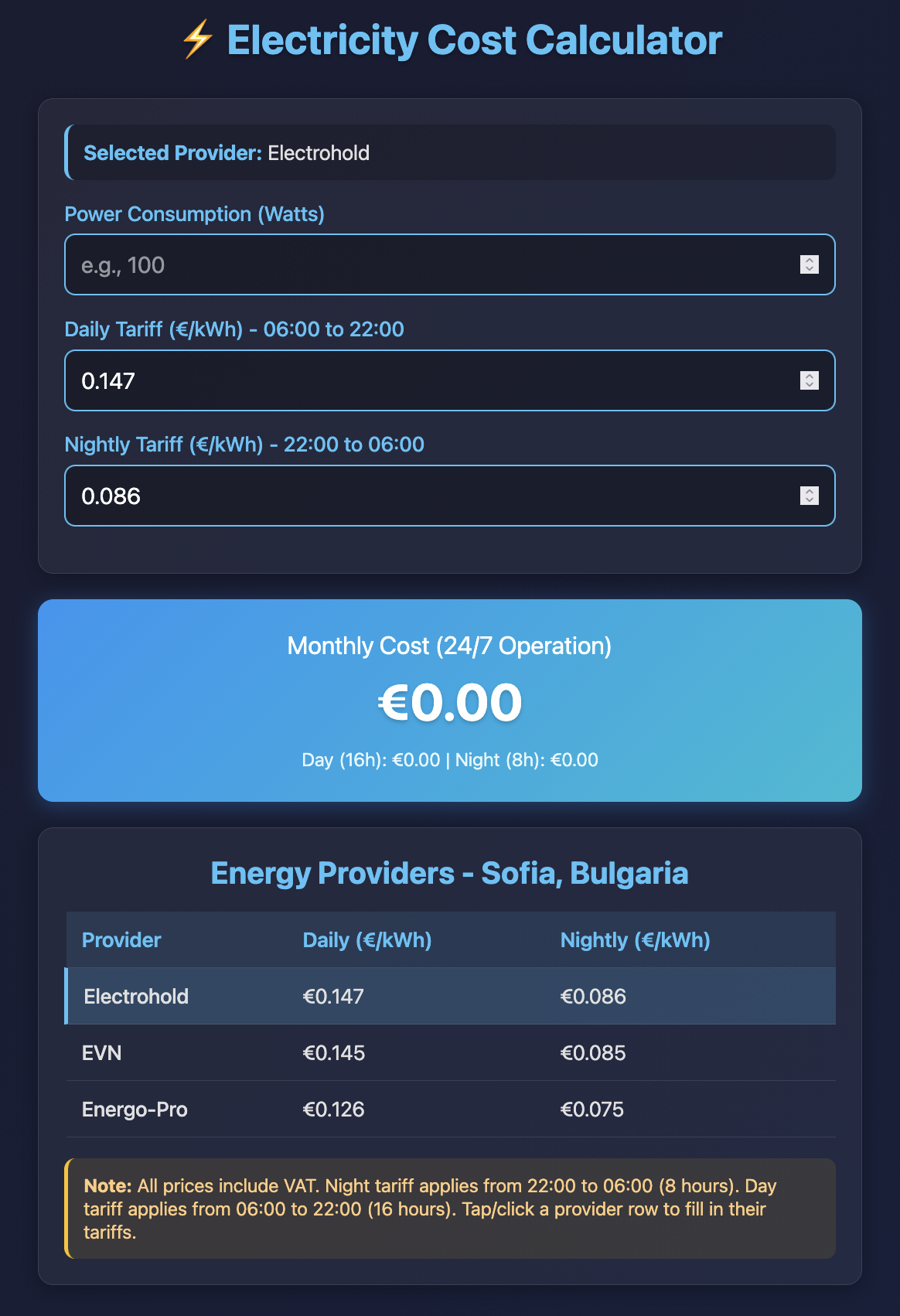
Grok Code Fast 1 (with SearXNG as an MCP)
Experience: 6/10
Result: 5/10
End price: $0.07
Verdict:
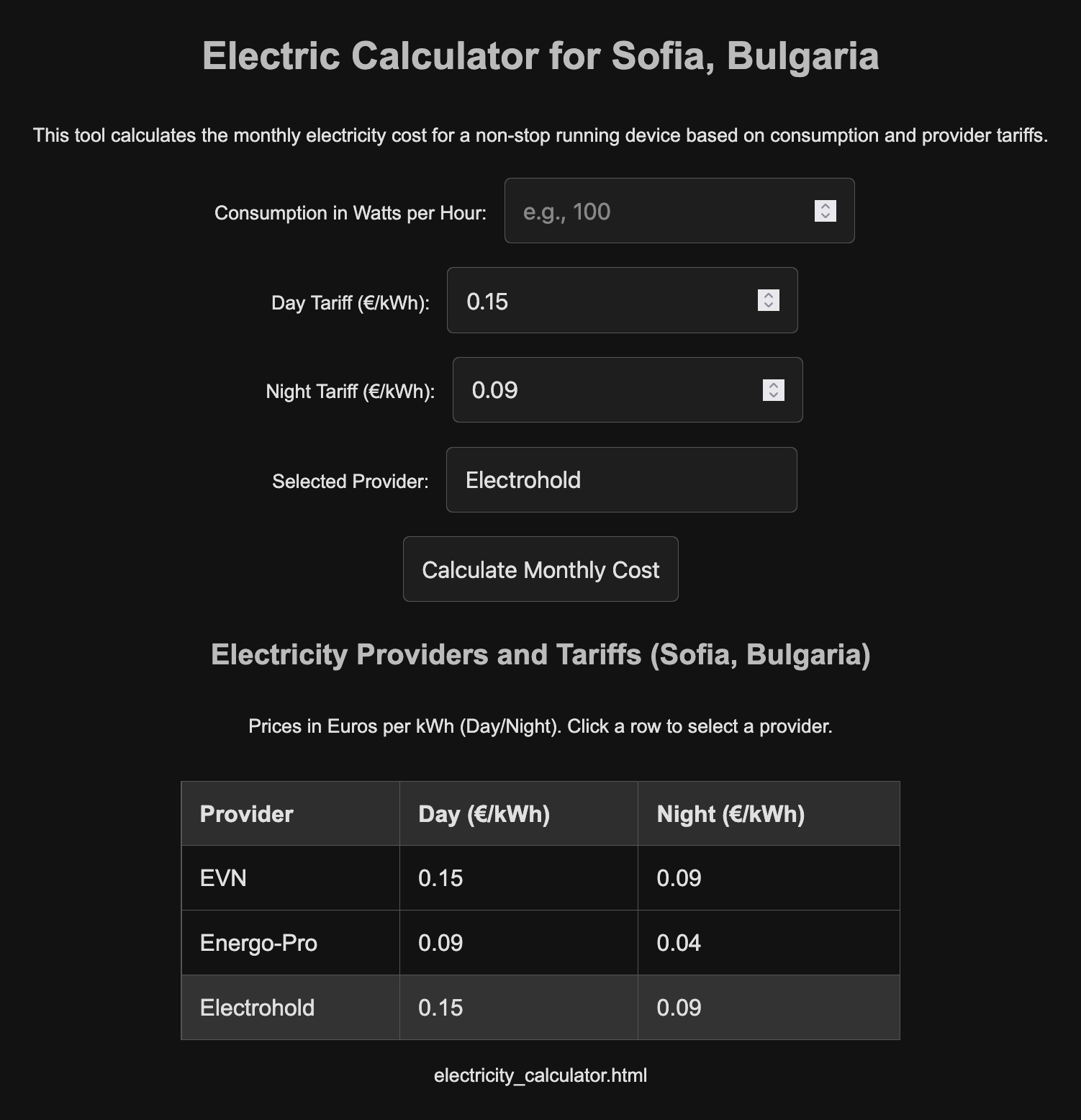
This time I added SearXNG MCP (local installation) and added "* use searxng for web search" at the end of the prompt.
Still failed to generate good search queries and put obviously incorrect tariffs for one of the providers. Also the result looks worse than the first try and has a calculate button instead of auto-calculation.
Conclusions
As you can see, I used both low and high tier models. I do not think any of them managed to extract the correct prices at the end, but some of them were really close.
Here are my conclusions:
Different models have different skills for crafting web search queries.
This heavily affects their research capabilities. Right now it seems to me that Google models are the best at that, followed by Anthropic ones and OpenAI, then the rest of the pack.
Most models are quite good at writing code for simple coding tasks, like our one-page project here.
This experiment was never about models' coding abilities, but none of the models regardless of tier created a bug here. I did play with all the results.
Cheaper models are not always cheaper in the end. Especially when it comes to research phases.
Poor web search queries and the need for a lot of clarification and back-and-forth with the user often lead to more tokens being used and more time wasted. I did expect bigger differences in money spent on different tier models. Instead often times the cheaper models ended up costing more for this simple task.
opencode planning mode does not really jail models
This needs to be improved. One of the models that did not recognize it was in planning mode and shouldn't write anything yet managed to write the HTML file on the second attempt, using a different approach than the first time.